Start here
Custom Notion system
For running clients, projects and invoices yourself.
- Clients CRM, projects and invoices linked
- Onboarding, follow-up and invoice automations
- You can change views and fields yourself
 Gridwell
Solutions · Solopreneurs & consultants
Clients, pipeline, projects and invoices in one workspace, instead of your head, your inbox and five apps. Automations handle the admin. You do the work that pays.
or email abdo@gridwell.me
Built for solo founders, freelancers and consultants · Fixed fee, agreed upfront · You own the system
Quick answer
Yes, if your work is clients, projects and invoices. Notion holds your pipeline, your delivery, your notes and your money tracker in one linked system, and automations take over the follow-ups and reminders you currently carry in your head.
It is not the right fit if your clients need to log into their own accounts; that is client-portal territory, and we build that as custom software when you need it. It is also not your accounting tool; invoices are tracked here, accounting stays where it is.
01 · Fit
Good fit
Not a good fit
02 · Problems
03 · The three services
Every build uses one or more of three services, scoped on a free audit call before you pay anything.
A clients CRM, a project pipeline, an invoice tracker and a ‘this week’ home view, all linked, all yours.
The onboarding sequence, the invoice reminders, the Monday-morning summary. Across our automation projects, clients save about 14 hours a week on average.
When clients need to log in and see their own portal, we build it as real software.
Read: Client portal software for small business · How to create a client portal in Notion
04 · Case example
A typical consulting build starts with the admin that repeats every week. A signed proposal creates the project, drafts the welcome email and sets the onboarding checklist. Every client carries a next action and a date, so follow-ups remind themselves. Invoices track sent, due and paid, and nudge you before they go overdue. Monday opens with a summary: active clients, waiting-on replies, money in and money due.
Across automation projects like these, clients save about 14 hours a week on average. Your number depends on how much admin your week currently holds; the audit call measures it before we build.
This is a composite of typical solo builds, not one named client. Named client stories live on the case studies page.
Across automation clients: the follow-ups, onboarding, invoice chasing and Monday rebuilds that stop being your job.
Your number depends on your week. The audit call measures it before anything is built.05 · Inside the system
Every lead and client with full history, a next action and a date
Delivery pipelines for your actual services, from signed to done
Sent, due and paid, with reminders; accounting stays in your accounting tool
One home view: today’s work, waiting-on replies, money due
Your way of working, written down once, reused every time
06 · A day in the system
The system does the remembering, the reminders and the first drafts. You do the work that pays.
You open one home view instead of your inbox: today’s work, replies you are waiting on and money due. The week is already planned.
You add it in seconds with a button. It lands in your CRM with a next action and a date, so the follow-up reminds you instead of your memory.
The project is created, the welcome email is drafted and the onboarding checklist is set. You review the email and send it.
The call prep assistant pulls the client’s history, open items and last notes into a short brief.
You get a reminder before it goes overdue, with the invoice linked. No awkward chase weeks later.
Your week opens with active clients, overdue follow-ups and invoices due, instead of an hour rebuilding it from your inbox.
No message goes to a client unless you send it.
07 · Automations
Automations prepare and remind. Every message to a client still goes through you.
Priority 1Onboarding
WhenA proposal is signed
ThenThe project is created, the welcome email is drafted and the checklist is set
WhenThe onboarding checklist is complete
ThenThe first delivery task appears with a date
Priority 2Follow-ups
WhenA client’s next action date is due
ThenYou get a reminder with the record linked
WhenAn invoice is due in three days
ThenYou get a reminder before it goes overdue, invoice linked
Priority 3The weekly summary
WhenEvery Monday
ThenActive clients, overdue follow-ups, invoices due
Buttons, forms and formulas work on any Notion plan. Database automations that run when a property changes need a paid Notion plan.
Built-in safeguards
More on this: how to automate client onboarding and five automations every consultant should set up on day one.
08 · AI agents
Agents read your clients, projects and notes and do the preparation work: plans, briefs and drafts. They suggest; you decide and send.
Lists today’s work, follow-ups due and invoices due, in priority order
Every morning
Pulls a client’s history, open items and last notes into a short brief
Before a client call
Drafts a proposal from your discovery notes and your service templates
After a discovery call
Drafts the follow-up email based on the client’s next action
A follow-up is due
Turns call notes into tasks with dates, for you to confirm
After a call
Writes what got done, what is stuck, and money in and due
Every Friday
Where to start: the morning planner. It works from your clients, tasks and invoices and makes no decisions. Call prep and the follow-up writer come next.
How the agents stay safe
Notion or custom software
Notion runs most one-person businesses well. When clients need to log in, we build the portal as custom software, and the structure carries over.

Not sure which one you need? On a free 20-minute call we map your tools and recommend one, before you pay anything.
or email abdo@gridwell.me
Start smaller
Start with a template. ConsultingOS and Second Brain OS install in under an hour, no call needed. If you outgrow one later, we credit part of the price toward your custom build.
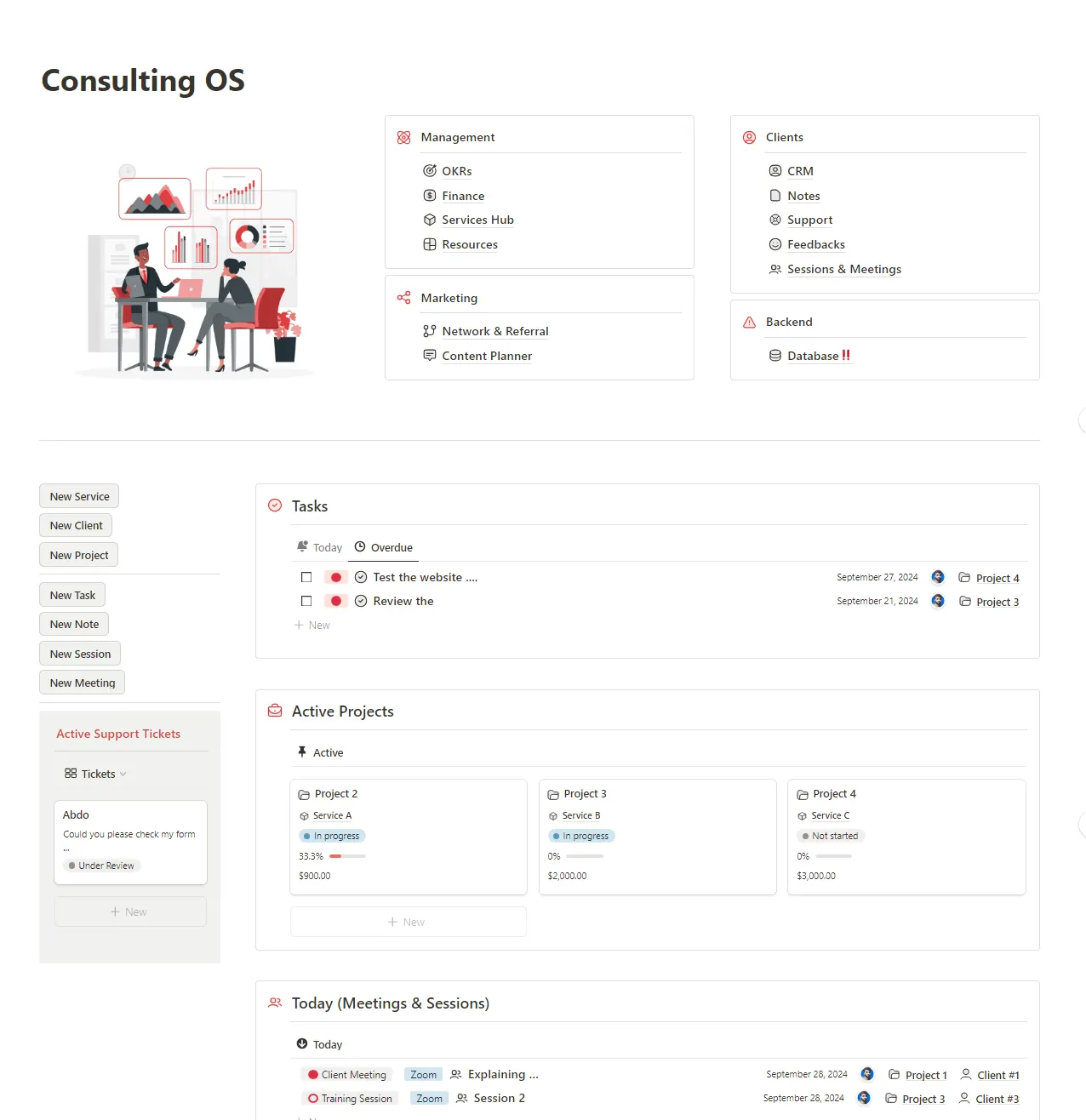
Services hub, CRM, OKRs, projects, finance, and session notes: built for coaches and consultants running the business solo.
See ConsultingOS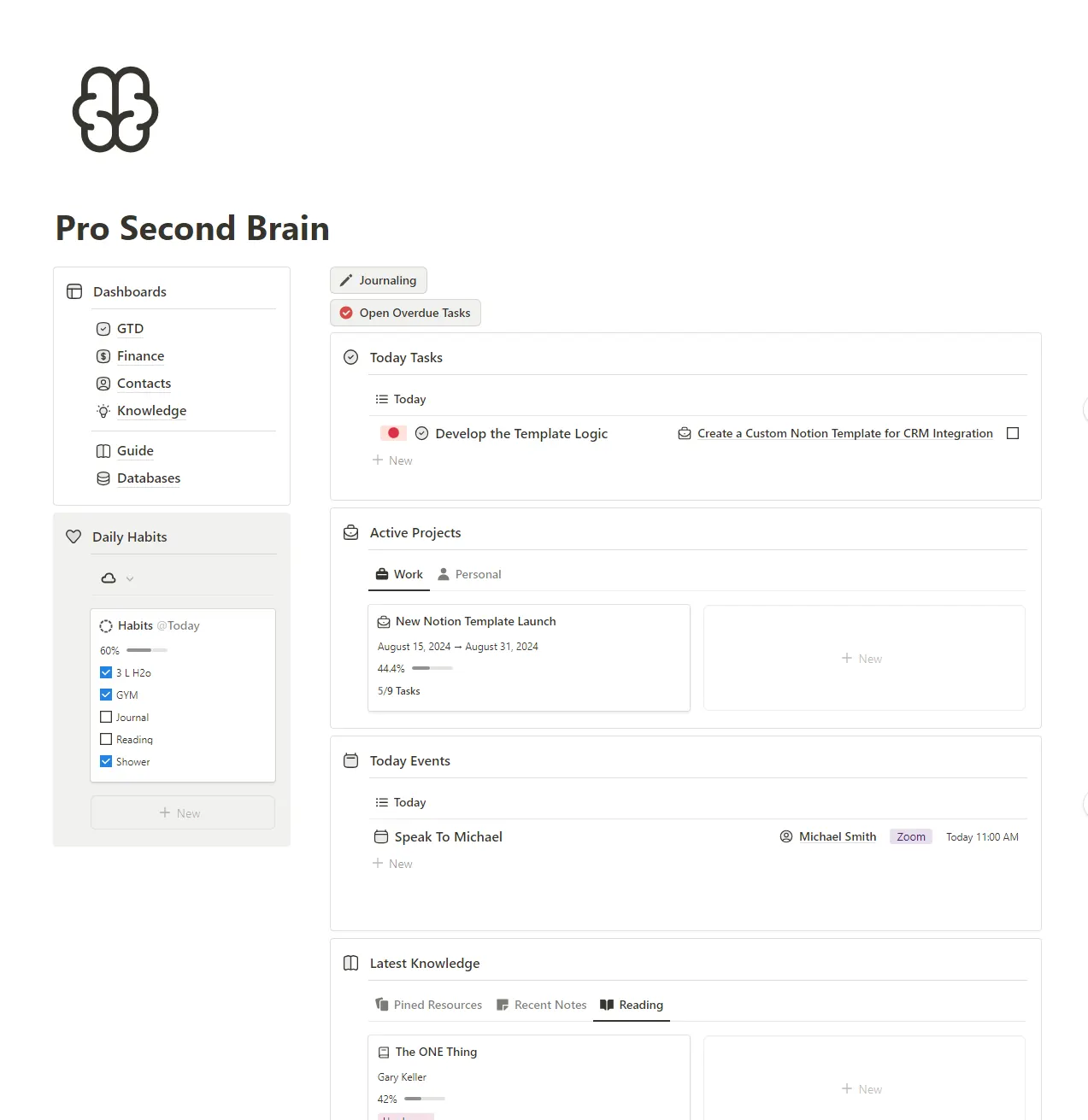
GTD + PARA-based system for tasks, notes, goals, habits, journaling, and finances: one workspace for your whole life.
See Second Brain OS09 · Get started
Book a free 20-minute call. We will tell you honestly what we would build, or whether a template is all you need.
or email abdo@gridwell.me
FAQ
Yes, if your work is clients, projects and invoices. Notion holds your pipeline, delivery, notes and money tracker in one linked system, and automations take over the follow-ups and reminders you would otherwise carry in your head.
It is one workspace built around how you work: a clients CRM, a project pipeline for your services, an invoice tracker and a weekly home view, all linked, with automations for onboarding, follow-ups and reminders.
Start with a template if your work fits a standard client-and-project setup; ConsultingOS and Second Brain OS install in under an hour. A custom build makes sense when your services, onboarding and follow-ups are your own and a template keeps getting in the way.
Buttons, forms and formulas work on any plan. Database automations that run when a property changes need a paid Notion plan.
One fixed fee, quoted after a free audit call and agreed before any work starts. You get a written plan and the price first.
Across automation projects, clients save about 14 hours a week on average. Your number depends on how much admin your week holds; the audit call measures it before anything is built.
No. Automations prepare drafts and remind you. Every message to a client still goes through you.
No. The system lives in your workspace, and you own it, with docs and Loom walkthroughs at handoff.
We build it as custom software, and the structure carries over, so nothing gets rebuilt from scratch.
Yes. We map and import them during the build.